OData filtering in Change
Last Updated: 2024-11-15
1. Introduction
In Change the filtering option in entity sets allow you to add any OData filtering query for GET operations. You can find all available OData functions and examples on how to use them at odata.org. In the documentation you find information about the latest version, URL conventions is recommended as an overview of available functions.
For beginners it can be a good idea to read through the basic tutorial, especially the filter chapter.
2. Wildcard
Wildcard filtering is enabled with OData functions such as contains and startswith.
e.g.
#Sheet2!C3
10000%1

#Filter
contains(DocNo,'{Sheet2!C3}')
or
startswith(DocNo,'{Sheet2!C3}')

#Result
DocumentRevisionsHandling.svc/DocIssueSet?$select=luname,keyref,Objstate,Objgrants,DocClass,DocNo,DocSheet,DocRev,Title&$filter=contains(DocNo,'10000%1')
3. From and to
For filtering a range of items there are four useful functions:
lt (less than)
le (less or equal)
gt (greater than)
ge (greater or equal)
The one of the two first once can be combined with one of the two last once to set a range. For example
DocNo le '2000' and DocNo ge '1000'
will give all items with DocNo in the range 1000 to 2000. The functions can be applied to strings as well, for example
Title le 'b' and DocNo ge 'a'
will give all items with a title that start with 'a'.
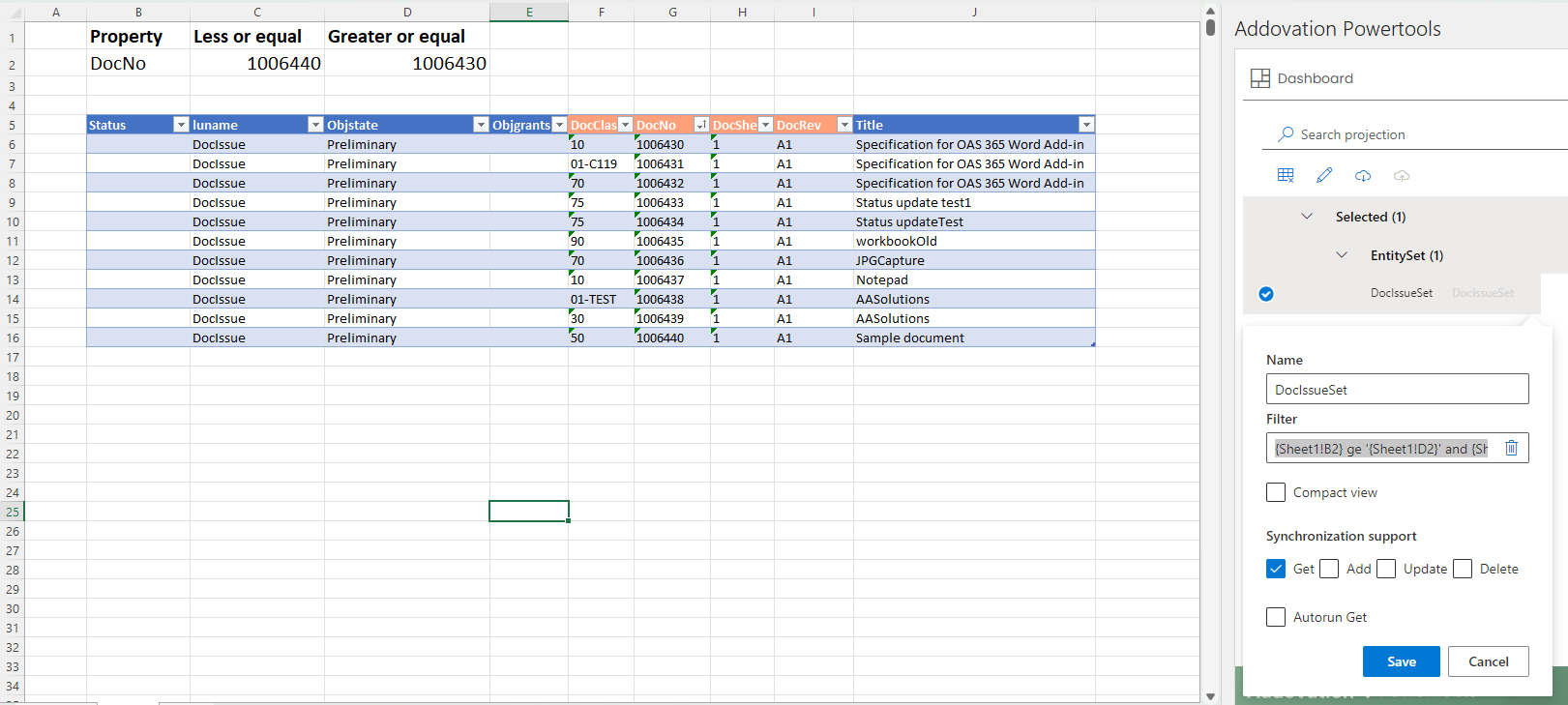
In Change you can dynamically change the range limits and property to be filtered by fetching them from cell values. In the example below the filter is
{Sheet1!B2} ge '{Sheet1!D2}' and {Sheet1!B2} le '{Sheet1!C2}'