Addovation Share for Office
Last Updated: 2026-09-09
Designed specifically for Word, Excel, and PowerPoint, Addovation Share for Office provides a consistent way to create, manage, and check in documents to IFS Cloud. The add-in supports both web and desktop versions of Microsoft 365, giving users a stable, platform-independent workflow with centralized deployment and simplified maintenance.

What you get!
- Easily check in and connect your Word, Excel, and PowerPoint documents to the appropriate business objects in IFS Cloud.
- Freedom to choose or support multiple platforms in your organization!
- Lower maintenance by having centralized updates and deployment.
Key benefits
- Check in documents.
- Supports one or several business objects.
- Have business objects easily available as favorites.
- Search for templates and create new documents based on templates.
- Search for existing documents from IFS.
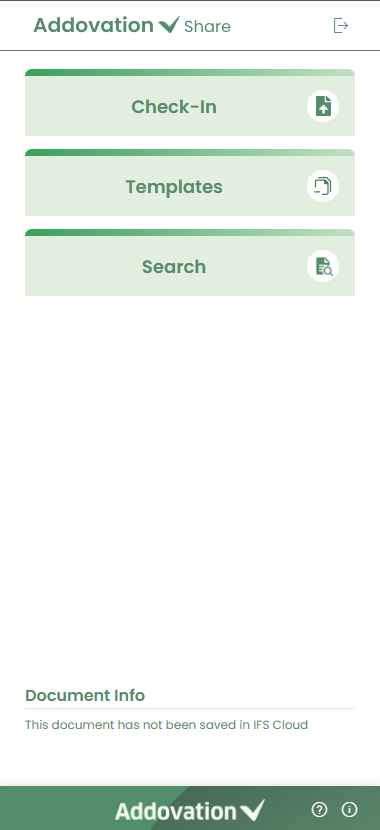
The add-in provides a unified experience for working with Word, Excel, and PowerPoint documents, offering consistent functionality, workflow, and user interface across all three applications.
Technical documentation
Downloads
Release Notes
| Release date | Version | Comment |
|---|---|---|
| 2026-09-09 | 1.1.10 | Browse option to select multiple files and folders from File Explorer for check-in Validation checks for new document revisions Removed the document number and the "Copy of" prefix from downloaded templates "Restricted Access" flag is now considered for Classes "Download to Local" option to download templates to the local PC UI improvements Other improvements and fixes |
| 2026-06-03 | 1.1.9 | Use only standard projections Remove dependencies to other services. (docman api) Use of docman SDK |
| 2026-03-25 | 1.1.8 | Search : Document merge - Merge multiple documents into a single file (doc + pdf) Check-in : Correspondence section as additional fields during check-in (UI only) Improved messages/labels Other fixes and improvements |
| 2026-02-24 | 1.1.7 | Outlook - New landing page Outlook - Document info for checked-in items Outlook - Document search Outlook - Document advanced search Outlook - Document folder navigator Improved messages/labels Other fixes and improvements |
| 2026-02-05 | 1.1.6 | Search - Folder navigator for file browsing Check-in - Add recent object description before id Manifests - Updated icons for better identification of add-ins Outlook - Add category "Checked into IFS" for email Improved messages/labels Other fixes and improvements |
| 2026-01-21 | 1.1.5 | Templates – Search all file types Templates – Improved icons for different file types Check-in – Browse and select files Check-in-Excel-Improved handling of XLSB files Search – Improved icons for different file types Advanced search – More searching/filtering options (Class, Format, Customer, Supplier, Project) Advanced Search – Improved icons for different file types Outlook – Check-in item count Outlook – Improved icons for different file types Improved messages/labels Other fixes and improvements |
| 2025-12-04 | 1.1.4 | Check-in - Improved support for large files Templates - Improved support for opening/downloading of large files Search - Improved support for opening/downloading of large files Search - Search for all file types Advanced Search - Search for all file types Improved messages/labels Other fixes and improvements Outlook - Authenticate user against IFS Outlook - Identify M365 user from email account Outlook - Use selected email as context Outlook - List email and all attachments Outlook - Verify file types against IFS Outlook - Show users which files will be check-in or not Outlook - Ability to select whole email or individual items Outlook - Set class/format/object connections globally or individually Outlook - Check-in files to IFS Outlook - Upon check-in, show message with file counts (partial success) Outlook - Upon check-in, list individual items with check-in state Outlook - Upon check-in, show document number as a link to open in IFS Outlook - Manifest rolled out for Absolute Test and Demo environments |
| 2025-11-19 | 1.1.3 | Check-in - Large file handling Check-in - Manage object connections after check-in Check-in - Manage release state after check-in Check-in - Manage object connections for check-in-existing Check-in - Load your recent object connections under favorites Check-in - Create view copy for check-in-existing Check-in - Create view copy for check-in-new-rev Check-in - Handle multiple parenthesis '()' in the document title Check-in - Identify used class/format/object connections from document number in the title Search - New icon for release state Search - Fix issue with view/edit files in advanced search Templates - Template open in OneDrive in write mode Templates - Fix template local download issue (>50mb) Encrypt all data in local storage Improved messages/labels Other fixes and improvements |
| 2025-11-05 | 1.1.2 | Search – Load files you have worked with Search – Redesign of ‘See more’ option Search – Download/open of large files Advanced Search – Load files you have worked with Advanced Search – Tooltip for ‘I’m Involved’ checkbox Templates – Download/open of large files Check-in – Redesign of ‘New Document’ panel Check-in – New ‘New Revision’ panel Check-in – Redesign of ‘Check-in Existing’ panel Check-in – Redesign of ‘Check-in Successful’ panel Check-in – Improved identification of ‘Check-in Existing’ by title Improved messages/labels Other fixes and improvements |
| 2025-10-23 | 1.1.1 | APIM subscription support, AppInsights for logging, Formatted tooltips, Improved error messages – Message and color, Warning message for unsupported file formats (.doc), Document info for checked-out files, Excel/Powerpoint-Remove release option from if view-copy required, Excel/Powerpoint – File icon for check-out state, Powerpoint - Ask user to manually save the file, Search files – Open in IFS, Fix looping for failed authentication, Upgrade packages, Performance improvements, Other fixes and improvements |
| 2025-10-16 | 1.1.0 | Documents: create, add class/format, add object connections, check-in-new, check-in-existing, create view copy, release document Search: list, search, view, edit (check-out), create new rev, view details, advanced search Templates: list, filter by language, search, download to local, open in OneDrive Integration: seamless integration between IFS and AddoShare through local OneDrive path |
| 2024-07-03 | 1.0.0 | First release to market |