Setup Guide - Addovation Go - V3
Last Updated: 2025-03-11
Introduction
Addovation Go offers a range of mobile solutions that will improve productivity and give you the ultimate competitive advantage. Addovation Mobile Solutions will increase your company efficiency. It would be easy and cost effectively. It is mobilizing your business processes by providing mobile applications for who use dedicated devices operating in the fields.
Addovation Mobile Solutions offers functionality covering most aspects of IFS Cloud.
Mobile Solutions use standard components from our library to configure solutions for customer need. Our platform generates interfaces for different mobile clients such as iOS & Android.
Mobile Solutions enable secure and efficient transfer of any type and quantity of data. It will eliminate inefficiencies and deliver your workforce with the information they need, when and where they need it.
Addovation deliver fit for purpose mobile solutions with a strong focus on alignment with your exact business processes and on usability of IFS Cloud, considering the usage environment and mobile device capabilities.
Mobility is not only a matter of mobile application. Selection of the mobile hardware, over-the-air connectivity technologies, device security should be considered in a mobile project. Depending on your area of business, and the level of security your company requires, Addovation will be able to tailor apps to suite your needs, regardless of the technology you want to use.
Figure 1 : App Icon
General Features and Technical Info
- Addovation Go consists of many applications.
- Addovation Go is available as an Android app and an iOS app.
- Language translation supported.
- Theme support available.
- AppLinking supported. (Calling the mobile app from a link)
Compatibility matrix
- Minimum Android version: Android 1 3 (API level 33 - Tiramisu)
- Target Android version: Android 1 4 (API level 3 4 – Upside Down Cake)
- Minimum iOS version: iOS 9
Installation guide
Addovation Go Mobile App
- Addovation Go is available on Google’s Play Store and Apple’s App Store (Private app)
o https://play.google.com/store/apps/details?id=com.addovation.android.addovationgo
o https://apps.apple.com/us/app/addovation-go/id - Addovation Go iOS app is available through Apple Business Manager, as a custom app.
- Possible to deploy through MS Intune or similar as well
Addovation Go Designer
Create Database
Follow the below steps & update the database using the provided Dacpac file
- First create a database
- RMB on the created database & Click on Tasks -> Upgrade Data-tier Application...
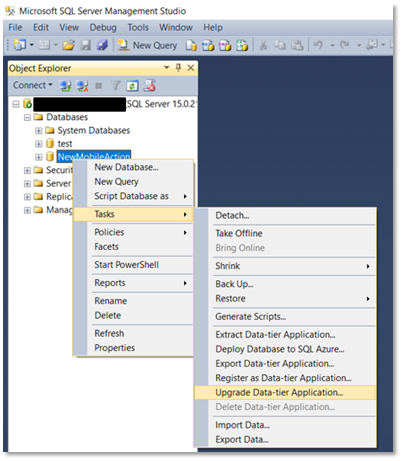
Figure 2 : Create Database
- Now Click on Next
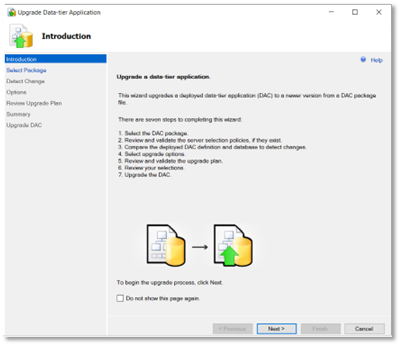
Figure 3 : Upgrade Data-tier Application
- Browse the given Dacpac file & click Next
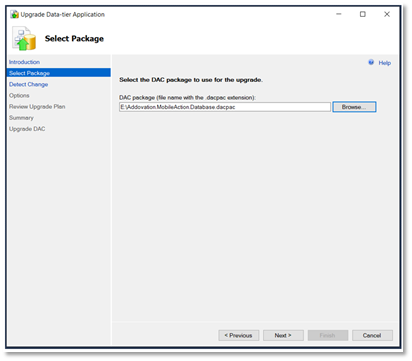
Figure 4 : Select Package
- Click Next
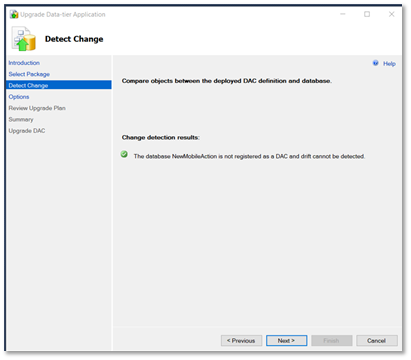
Figure 5 : Detect Change
- Click Next
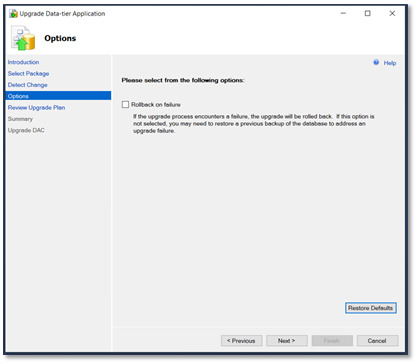
Figure 6 : Options
- Click Next
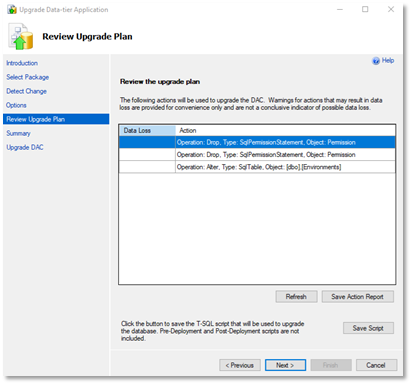
Figure 7 : Review Upgrade Plan
- Click Next
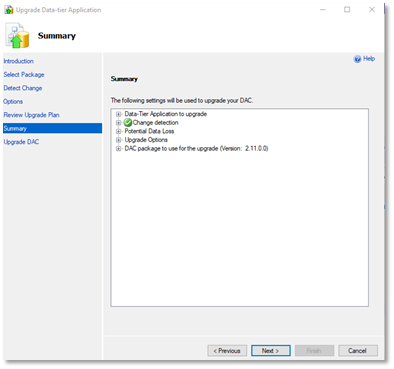
Figure 8 : Summary
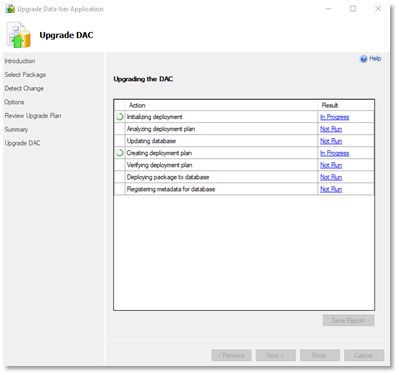
Figure 9 : Upgrade the DAC
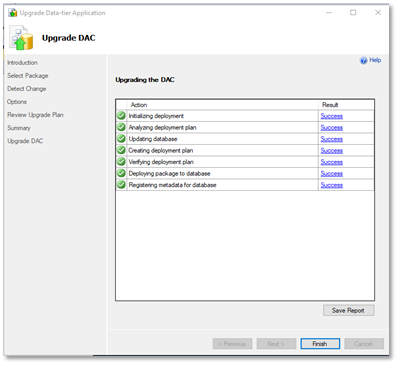
Figure 10 : Options
- Click Finish
- Database installation is successful
Setup Cloud & Uplink
Addovation Cloud/Addovation Uplink WCF services will be replaced by secure Azure .Net Web API(s)
For setting up of Addovation Cloud and Addovation Uplink instructions, please refer to Automation Server (AIS) setup guide.
Host Addovation Go Designer Site
Addovation Go Designer is being uplifted to .Net Core 8 and will be hosted as an Azure App Service.
Provide created database details & Create new User by giving Default Addovation Go Designer Username & Password in cloud configurations. You can use this ‘User’ to log in to Addovation Go Designer.
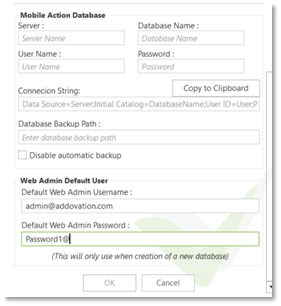
Figure 11 : IIS Create New User
Take the provided files & host the website in IIS Services Manager.
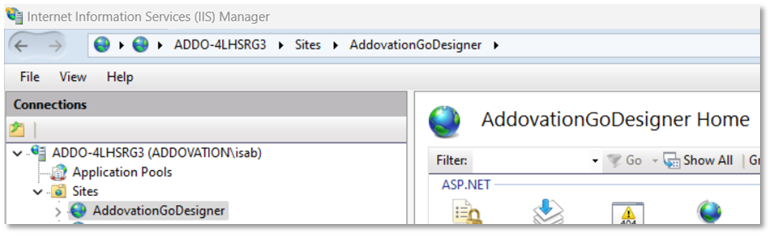
Figure 12 : IIS Services Manager
Change the Connection String in ‘web config’ file,
- Data source
- Initial catalog
- User id
- Password

Figure 13 : Addovation Go Designer Login
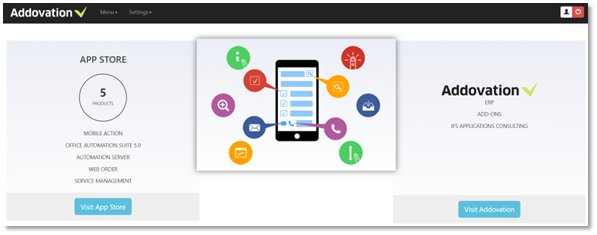
Figure 14 : Addovation Go Designer Home
Updating the License Key
Through the installer
o Run a modify/change of the installation and update the key
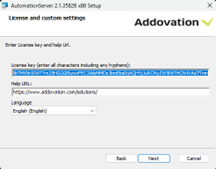
Figure 15 : Updating License Key Through Installer
In the registry
o Update the relevant place in the computer registry o Key can be found in following places depending on the bitness of the installed application ▪ Computer\HKEY_LOCAL_MACHINE\SOFTWARE\Addovation ▪ Computer\HKEY_LOCAL_MACHINE\SOFTWARE\WOW6432Node\Addovation

Figure 16 : Updating License Key Through Registry
Contact
Visit http://www.addovation.com for further information.