Addovation DocAgent
Last Updated: 2026-10-06
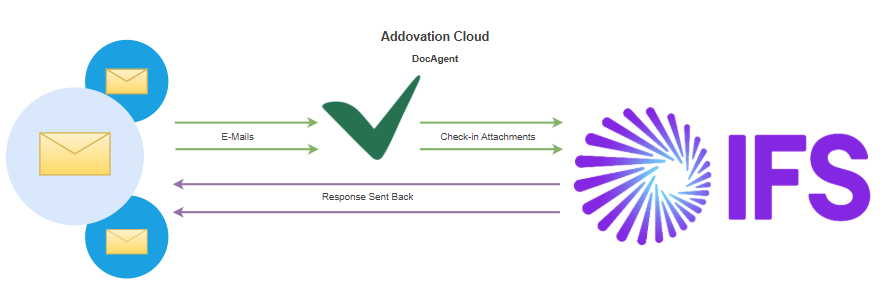
Addovation DocAgent is all about automatic document handling in IFS Cloud. Increase efficiency by fully automating how your incoming emails and their attachments get checked in. With our solution, you can fully automate email handling and apply your own business logic to process and check-in attachments exactly the way you need. Our cloud solution keeps an eye on your email account(s) 24/7 all year around.
What you get!
What you get!
- A solution that automatically reads incoming emails and checks in the e-mail and its attachments to IFS, applying the business logic you've defined for that channel.
- Full control over every attachment, with business rules you define to prepare a document before check-in, or act on it after check-in, for example releasing it automatically.
- Full visibility in IFS Cloud, with every processed e-mail and its attachments checked in and linked to the object they belong to.
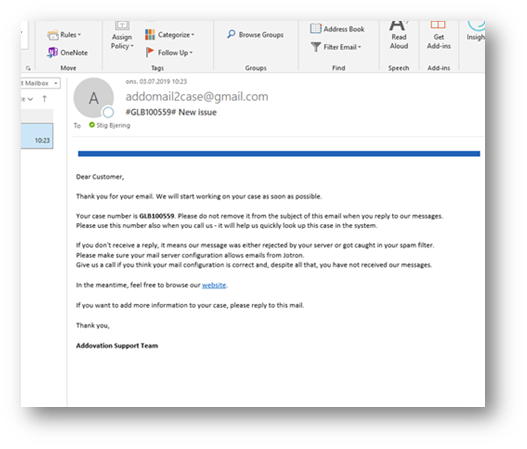
- Never lose an email, processed and failed emails are each moved to their own folder, and an automated reply can be sent back to the sender once it's handled.
Key benefits
- Automatically identifies the customer by e-mail address.
- Sends autoreply with information.
- Serves as a virtual 24/7 customer service.
- Easy to answer emails – keeps track of all emails back and forth.
- Easily check-in attachments, for any object in IFS.
Required competencies
Typically, the competencies are handled by several persons:
- Microsoft Azure knowledge..
- IFS Document Management.
- IFS Custom event and actions.
- IFS Lifecycle Experience.
Technical documentation
Internal Documents
Downloads
Release notes
| Release date | Version | Comment |
|---|---|---|
| 2025-03-14 | 3.1.0 | - Release with IFS Cloud Support |