Addovation Share for Office
Last Updated: 2026-01-21
Designed specifically for Word, Excel, and PowerPoint, Addovation Share for Office provides a consistent way to create, manage, and check in documents to IFS Cloud. The add-in supports both web and desktop versions of Microsoft 365, giving users a stable, platform-independent workflow with centralized deployment and simplified maintenance.

What you get!
- Easily check in and connect your Word, Excel, and PowerPoint documents to the appropriate business objects in IFS Cloud.
- Freedom to choose or support multiple platforms in your organization!
- Lower maintenance by having centralized updates and deployment.
Key benefits
- Check in documents.
- Supports one or several business objects.
- Have business objects easily available as favorites.
- Search for templates and create new documents based on templates.
- Search for existing documents from IFS.
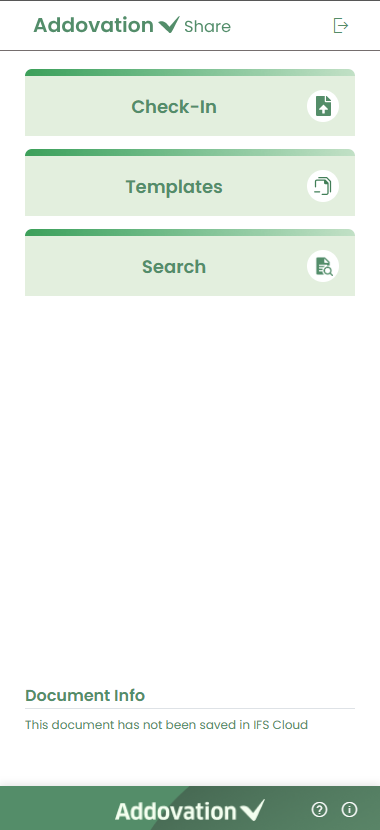
The add-in provides a unified experience for working with Word, Excel, and PowerPoint documents, offering consistent functionality, workflow, and user interface across all three applications.
Technical documentation
Downloads
Release Notes
| Release date | Version | Comment |
|---|---|---|
| 2026-01-21 | preview 1.1.5 | Templates – Search all file types Templates – Improved icons for different file types Check-in – Browse and select files Check-in-Excel-Improved handling of XLSB files Search – Improved icons for different file types Advanced search – More searching/filtering options (Class, Format, Customer, Supplier, Project) Advanced Search – Improved icons for different file types Outlook – Check-in item count Outlook – Improved icons for different file types Improved messages/labels Other fixes and improvements |
| 2025-12-04 | 1.1.4 | Check-in - Improved support for large files Templates - Improved support for opening/downloading of large files Search - Improved support for opening/downloading of large files Search - Search for all file types Advanced Search - Search for all file types Improved messages/labels Other fixes and improvements Outlook - Authenticate user against IFS Outlook - Identify M365 user from email account Outlook - Use selected email as context Outlook - List email and all attachments Outlook - Verify file types against IFS Outlook - Show users which files will be check-in or not Outlook - Ability to select whole email or individual items Outlook - Set class/format/object connections globally or individually Outlook - Check-in files to IFS Outlook - Upon check-in, show message with file counts (partial success) Outlook - Upon check-in, list individual items with check-in state Outlook - Upon check-in, show document number as a link to open in IFS Outlook - Manifest rolled out for Absolute Test and Demo environments |
| 2025-11-19 | 1.1.3 | Check-in - Large file handling Check-in - Manage object connections after check-in Check-in - Manage release state after check-in Check-in - Manage object connections for check-in-existing Check-in - Load your recent object connections under favorites Check-in - Create view copy for check-in-existing Check-in - Create view copy for check-in-new-rev Check-in - Handle multiple parenthesis '()' in the document title Check-in - Identify used class/format/object connections from document number in the title Search - New icon for release state Search - Fix issue with view/edit files in advanced search Templates - Template open in OneDrive in write mode Templates - Fix template local download issue (>50mb) Encrypt all data in local storage Improved messages/labels Other fixes and improvements |
| 2025-11-05 | 1.1.2 | Search – Load files you have worked with Search – Redesign of ‘See more’ option Search – Download/open of large files Advanced Search – Load files you have worked with Advanced Search – Tooltip for ‘I’m Involved’ checkbox Templates – Download/open of large files Check-in – Redesign of ‘New Document’ panel Check-in – New ‘New Revision’ panel Check-in – Redesign of ‘Check-in Existing’ panel Check-in – Redesign of ‘Check-in Successful’ panel Check-in – Improved identification of ‘Check-in Existing’ by title Improved messages/labels Other fixes and improvements |
| 2025-10-23 | 1.1.1 | APIM subscription support, AppInsights for logging, Formatted tooltips, Improved error messages – Message and color, Warning message for unsupported file formats (.doc), Document info for checked-out files, Excel/Powerpoint-Remove release option from if view-copy required, Excel/Powerpoint – File icon for check-out state, Powerpoint - Ask user to manually save the file, Search files – Open in IFS, Fix looping for failed authentication, Upgrade packages, Performance improvements, Other fixes and improvements |
| 2025-10-16 | 1.1.0 | Documents: create, add class/format, add object connections, check-in-new, check-in-existing, create view copy, release document Search: list, search, view, edit (check-out), create new rev, view details, advanced search Templates: list, filter by language, search, download to local, open in OneDrive Integration: seamless integration between IFS and AddoShare through local OneDrive path |
| 2024-07-03 | 1.0.0 | First release to market |